info@ebookwriters.co.uk
 +44 7460 751919


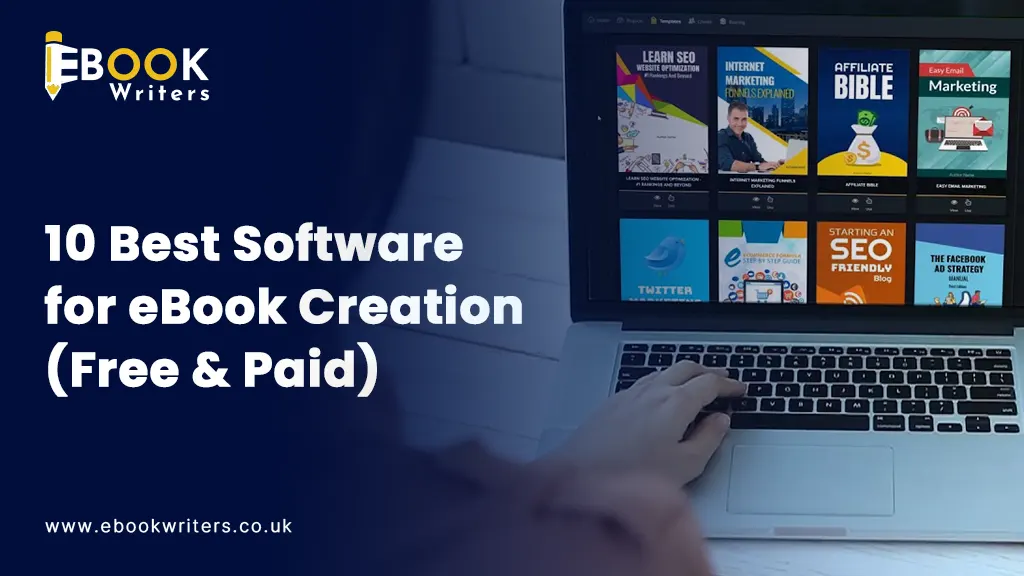
It is simpler than ever to create an eBook in 2026 thanks to all the advanced eBook creation software.
But there are so many software out there. So which one must you choose?
Well this is where many people just get stuck.
It is simpler than ever to create an eBook in 2026 but what about the software to use? It is at that point that the majority of people become stuck.
A student blogger business owner and even a struggling author will need just the right tool to save hours of work and create a professionally looking eBook without having to employ a professional designer.
The issue is plain and straightforward: too many choices.
There are writing tools design tools and even content generation tools that rely upon AI. So with so many choices it gets really hard to choose the right one without proper guidance.
Hence in this blog you will find the 10 best eBook creation software in 2026 (both free and paid). With the advantages and disadvantages of each and examples of how to use each to save time on finding out which one to use.
So let us get started!
What is eBook Creation Software?
eBook creation software is a program that aids in writing designing formatting and exporting digital books to their digital formats such as PDF EPUB or MOBI.
Rather than spend time trying to figure out how to format something complex by hand these tools permit you to:
- Create structured chapters
- Design layouts and covers.
- Include pictures links and multimedia.
- Sell your book on websites such as Kindle.
The best part about these ebook Creation Software is that they are beginner friendly. Most of them include AI features templates and drag and drop editors that make it easier to use.
Why Do You Need eBook Software?
Well in book publishing writing is just half of the job.
Most people find it difficult to format design and transform their content into a professional eBook.
It is important to take specific software because it:
- Saves time using pre made templates.
- Ensures professional formatting
- Supports various export formats.
- Assists you in publishing more quickly.
- Reduces dependency on designers
Based on the insights in the industry one can even turn blogs PDF files and even videos into eBooks in a matter of minutes. Using tools such as Designrr and others so that repurposing the content becomes highly efficient.
Key Features to Look for in eBook Creation Software
Before choosing a tool make sure it offers these essential features:
1. Ease of Use
Find a user friendly interface particularly when you are a novice.
2. Templates & Design Options
Ready-made templates are time saving and enhance graphics.
3. Export Formats
Your software is supposed to be compatible with such formats as PDF EPUB and Kindle.
4. Writing + Formatting Integration
There are those tools that enable writing and designing under the same platform.
5. AI Capabilities
The current tools provide AI writing formatting and content generation.
6. Collaboration Features
Customer friendly with team’s editors or co-authors.
10 Best Software for eBook Creation in 2026
Now we will discuss the most effective tools of today.
1. Designrr (Most Effective in Content Repurposing)
Type: Paid
Best For: Bloggers marketers content creators
Designrr is one of the most popular eBook creation tools in 2026—and for good reason.
It enables you to transform the existing materials (blogs PDFs videos podcasts) into fully designed eBooks in a few minutes.
Key Features:
- Paste URLs Word files or YouTube content.
- Drag and drop editor
- Pre designed templates
- AI powered content generation
- Export to PDF EPUB Kindle.
One of the biggest advantages of this ebook software is automation. You do not have to begin anew but can reuse your old material in a speedy and effective way.
Pros:
- Saves time with automation
- Beginner friendly
- Multiple export formats
- Very good at creating leads
Cons:
- Advanced features must be learned
- Subscription based pricing
Why Choose Designrr?
Select Designrr when you would like to easily transform already existing materials into professional eBooks without the need to begin afresh.
2. Canva (Best for Beginners & Design)
Type: Free + Paid
Best For: Novices designers marketers
Canva has emerged as a tool of choice to design anything including eBooks. It is undoubtedly one of the best ebook creator.
It is highly user friendly and allows one to create visually appealing eBooks without having to possess design experience.
Key Features:
- Thousands of eBook templates.
- Drag and drop editor
- Built in pictures icons and fonts
- Collaboration tools
- Cloud based access
Pros:
- Very easy to use
- Free plan available
- Excellent design flexibility
Cons:
- A small amount of advanced formatting on large books.
- Not suitable for complicated publishing requirements.
Why Choose Canva?
Use Canva when you wish to create eBooks with a beautiful design within a few minutes with no technical ability.
3. Scrivener (Best for Writers)
Type: Paid
Best For: Authors novelists researchers.
In case you are not interested in design but writing Scrivener is a powerful ebook writing software.
It is tailored towards long writing assignments such as novels research papers and eBooks.
Key Features:
- Advanced writing tools
- Chapter organization
- Research storage
- Export to various formats
Pros:
- Great when it comes to the structure of writing.
- Assists with big projects.
- Flexible workflow
Cons:
- Steep learning curve
- Limited design features
Why Choose Scrivener?
Select Scrivener when you want to write a book and plan it effectively.
4. Adobe InDesign (Best for Professionals)
Type: Paid
Best For: Publishers designers
Adobe InDesign is a professional publishing industry standard tool.
It provides extensive layout and typography features and is suitable to high quality eBooks.
Key Features:
- Advanced design tools
- Precise layout control
- Professional typography
- Supports interactive elements
Pros:
- High quality output
- Full creative control
- Good with intricate designs.
Cons:
- Expensive
- Requires design skills
Why Choose Adobe InDesign?
Select InDesign when you require high quality (and professional) eBooks with full design control.
5. Calibre (Best Free Open Source Tool)
Type: Free
Best For: Amateurs cost effective users
Calibre is an effective open source tool that is highly utilised in managing and converting eBooks. It is a Free ebook Creator tool.
It enables users to edit organise and transform files into various forms making it very versatile
Key Features:
- Free and open source
- Format conversion (EPUB MOBI and so on)
- Metadata editing
- Built in editor
Pros:
- Completely free
- Supports multiple formats
- Lightweight and efficient
Cons:
- Outdated interface
- Limited design capabilities
Why Choose Calibre?
Select Calibre in case you require a free application to handle and transform eBooks effectively.
6. Atticus (Best All in One Tool)
Type: Paid (Single fee)
Best For: Writers who desire everything in a single place.
Atticus is a blend of writing + formatting + publishing in a single platform.
It does not require the use of many tools and has a clean interface unlike most tools and it is compatible with all devices.
Key Features:
- Combined writing and formatting.
- Goal tracking and planning tools.
- Cloud storage
- Cross platform compatibility
It is also said to be cheaper than comparable tools but with powerful functionality.
Pros:
- All in one solution
- Affordable pricing
- Easy to use
Cons:
- Not as many advanced features as high end tools
- Limited templates
Why Choose Atticus?
Atticus is an easy to use all in one tool to write and format your eBook.
7. Vellum (Best to Use on Mac)
Type: Paid
Best For: Mac users self publishers.
Vellum has gorgeous formatting and simplicity and it is only available on macOS.
Key Features:
- Elegant templates
- Automatic formatting
- Instant preview
- Export to Kindle and print
Pros:
- High quality formatting
- Easy to use
- Fast workflow
Cons:
- Mac only software
- Expensive
Why Choose Vellum?
Use Vellum when you want to have beautifully formatted eBooks with the least amount of effort (and you have a Mac).
8. Kotobee Author (Best in Interactive eBooks)
Type: Free + Paid
Best For: Teachers trainers.
Kotobee will be ideal when you wish to make interactive eBooks that have videos quizzes and multimedia.
Key Features:
- Interactive (audio video quizzes) material.
- Cloud hosting
- Multiple export options
- Educational tools
Pros:
- Great for eLearning
- Interactive features
- Flexible publishing
Cons:
- Complex for beginners
Why Choose Kotobee?
Select Kotobee in case you need to make educational or training eBooks that are engaging and interactive.
9. Visme (Best for Visual Content)
Type: Free + Paid
Best For: Marketers businesses
Visme is an online design application that enables its users to make interactive and visually stimulating eBooks.
It has templates stock photos and no code editing so it can easily create professional content (Email vendor selection).
Key Features:
- Interactive elements
- Design templates
- Collaboration tools
- Cloud based editor
Pros:
- Easy customization
- Great visuals
- Free plan available
Cons:
- Lack of advanced writing tools.
- Certain features behind a paywall.
Why Choose Visme?
Select Visme when you are interested in the ability to produce visually appealing and interactive eBooks.
10. Sigil (Best for EPUB Editing)

Type: Free
Best For: Developers advanced users.
Sigil is an EPUB editor that provides full control over the structure of the eBook to users who need it.
Key Features:
- Open source
- EPUB editing
- Code level customization
- Lightweight
Pros:
- Highly customizable
- Free to use
- Best suited to advanced users.
Cons:
- Not beginner friendly
- Requires technical knowledge
Why Choose Sigil?
Select Sigil when you require full control over EPUB editing and high customisation.
Well if you are still confused the easiest way is to hire book writers and let them do their job.
Free vs Paid eBook Software: Which One Should You Choose?
It is up to you to select free or paid tools depending on objectives.
Free Tools Are Ideal when:
- You’re just starting
- You are on a tight budget.
- It does not require sophisticated design.
Paid Tools Are Ideal in case:
- You want something professional
- You need proper automation and AI ebook tools
- You plan to sell your eBook
Detailed Comparison of the Best eBook Creation Software
To make things much easier for you. Here is a simple table to help you understand how these software differ from one another. And which one can be best suited for you:
| Software | Best Suited For | Free Plan | Ease of Use | Major Strength |
|---|---|---|---|---|
| Designrr | Content repurposing | ❌ | Easy | Automation & AI |
| Canva | Novices & design | ✅ | Very Easy | Templates & simplicity |
| Scrivener | Writers | ❌ | Average | Writing organization |
| Adobe InDesign | Professionals | ❌ | Hard | Advanced publishing |
| Calibre | Free users | ✅ | Average | Format conversion |
| Atticus | All in one solution | ❌ | Easy | Writing + formatting |
| Vellum | Mac users | ❌ | Very Easy | Beautiful formatting |
| Kotobee | Interactive eBooks | ✅ | Average | Multimedia support |
| Visme | Visual content | ✅ | Very Easy | Engaging designs |
| Sigil | Expert users | ✅ | Hard | EPUB editing |
The following table provides you with the rough idea yet your ultimate decision will be based on your individual objectives and your level of skills.
Want to Create a Risk free Ebook?
Reach out to professional ebook writing agency and get sensationally engaging and amazing Ebooks at the most affordable pricing possible.
Consult Now!
How to Choose the Right eBook Creation Software?
There are a lot of tools so it might seem hard to find the appropriate one. But don’t fret you simply need to ask yourself a couple of easy questions.
1. Know your Objective
What is most important is your purpose.
- If you are writing a novel Go for Scrivener or Atticus
- Making a lead magnet Select Designrr or Canva.
- Require a premium product – Choose Adobe InDesign or Vellum.
- Producing learning material Kotobee.
As soon as you are sure what you want it becomes a far simpler decision.
2. Choose as Per Your Experience
The level of experience is a major factor.
- Beginners: Canva Visme
- Intermediate users: Atticus Designrr
- Advanced users: InDesign Sigil
In case you are new then you should not make it difficult. It can be done using a very basic instrument and achieve awesome results.
3. Do You Require Writing and Design?
There are tools that only concentrate on writing and those that concentrate on design.
- Combination tools: Atticus Designrr.
- Writing focused: Scrivener
- Design focused: Canva Visme
When you require it all under a single roof then get an all in one solution.
4. Consider Your Budget
The budget is a determining factor.
- Free: Canva Calibre Sigil.
- Midrange tools: Atticus Designrr.
- Top quality tools: Adobe InDesign Vellum.
When you intend to sell your eBook it may be worth spending money on a paid tool.
5. What Features You Need
Consider what characteristics are the most important to you:
- AI content generation
- Interactive elements
- Collaboration tools
- Multi format export
Not all tools have it all and so you should make sure to focus on what you really require.
Expert Recommendations
In case you are still confused these are some of the quick tips depending on some common situations:
Canva Is Best for Beginners
Canva is the least risky option if you have never made an eBook. It is easy not costly and has a graphic impact.
Designrr Is Ideal for Bloggers & Marketers
Ideal to convert blog posts into lead magnets. It is time saving and it automates a majority of it.
Scrivener or Atticus Is Best for Authors
These tools provide more control and structure in case you primarily want to write a book.
Adobe InDesign Is Best for Professional Publishing
In case you need an industry level polished eBook this is the one.
Calibre Is Best Free Option
A free reliable tool to manage and convert eBooks without any cost.
Kotobee Ideal with Interactive eBooks
Best suited to teachers and trainers who would like to design interactive learning resources. Or you can take guidance or help from the finest ebook makers in the UK to get it in the most ideal manner possible.
Common Mistakes to Avoid When Creating an eBook
Despite the most suitable software errors can destroy the quality of your eBook. The following are some of the pitfalls to be avoided:
1. Ignoring Formatting
Lack of formatting makes your eBook unprofessional.
Always:
- Use consistent fonts
- Maintain proper spacing
- Align headings correctly
2. Choosing the Wrong Format
Various media demand different formats:
- Kindle to MOBI or EPUB.
- Websites to PDF
Ensure that your software is compatible with the required format.
3. Overcomplicating Design
Better design does not necessarily mean more design.
Keep it:
- Clean
- Readable
- Consistent
4. Not Testing Before Publishing
It is a good practice to preview your eBook before publishing.
Check:
- Layout issues
- Broken links
- Image quality
5. Using the Wrong Tool
It is one of the biggest errors.
Do not use a complex tool if a simple one can do the job better.
Future Trends in eBook Creation
The eBook market is changing rapidly and software is getting smarter each year.
The following are some trends to be followed:
1. AI Powered eBook Creation
Numerous tools have AI capabilities that can:
- Generate content
- Suggest layouts
- Improve readability
This is time saving and it assists beginners in making more content.
2. Interactive eBooks
Interactive content is gradually replacing the use of static PDFs.
Expect more:
- Videos
- Clickable elements
- Embedded quizzes
Such tools as Kotobee and Visme are already at the forefront of this trend.
3. Cloud Based Collaboration
More tools are moving to the cloud allowing:
- Real time collaboration
- Easy sharing
- Access on any device.
4. Faster Publishing Workflows
Automation is emerging as a key point of interest.
Tools like Designrr enable people to make eBooks within a few minutes rather than several days.
5. Multi Platform Publishing
Modern tools are set to publish on multiple platforms simultaneously and they include:
- Amazon Kindle
- Websites
- Online stores
Conclusion
In 2026 there is no need to make the selection of the right eBook creation software complex; you just need to be clear.
Canva is a good place to start to have something simple and free.
Designrr is a powerful contender if you require automation and speed.
Scrivener or Atticus will be more suited to you should you be a writer.
And when you want to get a professional publication it is difficult to resist Adobe InDesign.
The trick lies in aligning the tool to your objective level of skill and budget. Software is a tool not the end but what you put in your software is what counts.
Therefore, choose the correct platform begin working and transform your ideas into a high quality eBook that people desire to read.
Frequently Asked Questions
Q#1. What is the best free software for eBook creation?
The best free ones are Canva and Calibre. Calibre is best at converting formats whereas Canva is best at design.
Q#2. Which software is best for beginners?
The simplest tool is Canva which has drag and drop features and is equipped with pre assembled templates.
Q#3. Can I create an eBook without having any design skills?
Yes, you can create an ebook without any design skills. The ability to create professional eBooks without design experience is easily achieved with such tools as Canva Designrr and Visme.
Q#4. What format should I choose for creating my eBook?
It depends on your platform:
- PDF for websites and downloads.
- mp3 for most eReaders
- MOBI for Kindle
Q#5. Is it worth paying for an ebook software?
Paid tools are certainly worth the cost in case you are serious about selling your eBook or creating a brand.