info@ebookwriters.co.uk
 +44 7460 751919


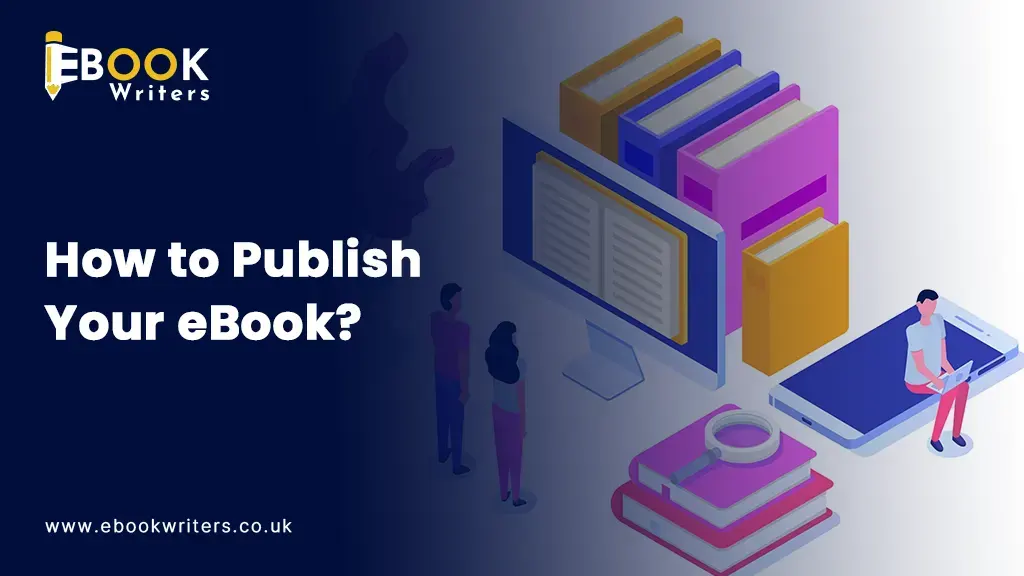
The world of publishing has shifted from a few gatekeepers choosing what gets printed to an open digital landscape where anyone can publish a book. With the rise of self-publishing platforms such as Amazon Kindle Direct Publishing, Apple Books, and Google Play Books, it is a lot easier to publish your ebook without literary agents or time-consuming approval processes.
Whether you want to build a personal brand, share a story, or generate passive income, publishing an ebook is one way you can do so without the burden of printing, storage, and shipping costs of traditional publishing. Other than this, ebook publishing also allows your book to reach an audience worldwide in just a matter of days.
If you want to know how to publish an ebook as a first-time author, then you are in the right place!
What Is eBook Publishing?
Have you ever thought of crafting, formatting, and distributing a digital book that readers can easily access on e-readers, smartphones, and computers? Then this idea is no longer far-fetched, and for this we must be grateful for the rise of accessible self-publishing platforms, which have made ebook publishing a walk in the park.
Moreover, ebooks exist in digital form and can be downloaded from online stores, allowing authors to reach audiences worldwide.
Moreover, it is a lot different from traditional publishing.
Traditional publishing vs self-publishing:
| Traditional publishing | Ebook publishing | |
|---|---|---|
| Control and production | In traditional publishing, the publishing house decides on the production, including professional editing, typesetting, and cover design. | n ebook publishing, the author has complete ownership over their text and decides on core designs and pricing |
| Gatekeeping and timeline | In traditional publishing, authors have found a literary agent and then wait for 2 to 3 years before their works get published. | n publishing, there are no gatekeepers. Authors can directly publish their work on platforms like Amazon Kindle Direct Publishing or Apple Books |
| Royalties and earnings | Royalties are much lower, but authors receive an advance on future earnings. | Authors receive much higher royalty rates, usually ranging from 35% to 70% of the book's list price |
| Marketing and distribution | Global distribution to physical bookstores, libraries, and retailers. | The author decides marketing and distribution. |
EPUB, PDF, and MOBI are the most common ebook file types, each with its own purpose as they cater to different reading experiences.
EPUB:
It is the most widely accepted ebook format used by all major platforms, including Apple Books, Kobo, and Google Play. It is reflowable, supports interactive multimedia, and allows users to customize fonts and text sizes. Moreover, it is suitable for novels, narrative non-fiction, and text-heavy books.
PDF:
It is best for visually heavy books in which layouts, margins, and the placement of images must remain unchanged; it has a fixed layout and is suitable for guides, reports, graphic novels, textbooks, or children's books with heavy illustration.
MOBI:
This ebook format was previously used by the Kindle devices. However, now EPUB is becoming the standard for Amazon as well.
Why Publish an eBook?
If you are thinking of publishing an ebook, then go for it as it offers many advantages for new as well as experienced writers. It is an effective way to share knowledge, expand your brand, and generate passive income.
- Reach a Global Audience: When you publish your ebook, it is available to readers all across the globe within just a matter of hours.
- Lower Publishing Costs: E-book publishing is cost-effective as it skips the cost required for printing, warehousing, and shipping.
- Faster Time to Market: Another advantage of ebook publishing is that you don't have to wait for long approval processes, unlike traditional publishing, which requires years; self-book publishing only takes a few weeks.
- Earn Passive Income: After you publish your book, your work can generate revenue long after publication.
- Build Authority in Your Niche: If you are a business owner, consultant, or expert, ebook publishing can establish your reputation and authority in your niche. As a result, it gets easier to attract clients and media opportunities.
How to Write and Publish an eBook?
When you think about writing and publishing an ebook, you might feel overwhelmed. However, it is completely normal if you are a first-time author. This is because there are many steps involved in writing and publishing an ebook, and it requires a lot of time and effort; therefore, if you have decided on it, then stick to this plan. Here’s a guide to ebook publishing.
Step 1: Choose a Profitable Topic
So, the first step is to choose a profitable topic because the success of your ebook depends on it. You must define your audience and know who you are exactly writing for. You must identify the challenges, interests, goals, and questions in your audience's mind.
Then identify the market demand by looking for topics people actively search for and what topics are currently in demand. Popular categories are personal finance, health and fitness, business, self-improvement, technology, education, and so on.
Next, validate your idea by ensuring there is genuine demand. For this, you can conduct surveys, analyse customer reviews, and evaluate interest through social media.
Step 2: Create an eBook Outline
The second major step is to create an outline. Break your topic into manageable sections before you begin writing. Moreover, each chapter should cover a specific aspect of the topic. An outline is crucial as it acts as a blueprint for your book.
Organise your chapters into logical sections such as an introduction, problem overview, solutions, implementation, case studies, and conclusion.
Then define the key takeaways, as every chapter must provide the reader with value. For each section, learners must get something out of it.
You can structure the content by using headings, subheadings, bullet points, examples, and summaries. This is important to enhance the readability.
Step 3: Write Your eBook
Now the third step is to write your eBook and turn your outline into a manuscript. For this, you must have a realistic writing goal to maintain consistency. For example, you can decide to craft 500 words daily, one chapter per week, and set time for writing sessions.
Moreover, when writing your eBook, you must focus on clarity rather than complexity. You must write clearly, concisely, conversationally, and engagingly. Also, use short sentences and the active voice.
Another tip is to avoid unnecessary jargon. Also, your book must have similar terminology, tone, and characters throughout the text. Keep the formatting and header styles in check too.
This is all crucial for a professional reading experience.
Ready to take your E-Book to the Next Level by selling out tons of copies in just a 1 month?
Engage our specialist and maven E-Book writers. Our writers will teach you effective ebook strategies and guide you from start to end.
Sign up Now
Step 4: Edit and Proofread Your Manuscript
If you are thinking of skipping this step, then let me tell you, it would be your biggest mistake. This is because editing is really crucial to enhance the overall quality of your ebook.
Here are some self-editing tips: once you have completed your ebook, you must take a break before you start editing. It will allow you to read your work with fresh eyes, and you can easily identify the mistakes.
Then read your text aloud as it is also a good practice to identify all your mistakes. Also, eliminate the crutch words. Other than this, you can also read your text backward to spot typos.
Moreover, you can also connect with a professional editor as they provide objective feedback and catch structural flaws, plot holes, and logical fallacies that you might overlook. Also, they will align your manuscript with established style guides. It will make your ebook polished and credible.
The mistakes you must avoid in this step are: you must not edit while writing, don't over-read your book, check the formatting and organisation, and don't skip proofreading.
How to Publish an eBook Step by Step?
Step 5: Format Your eBook Properly
The next step is formatting your book, and it directly impacts the reader experience.
EPUB Format: It is the best for Apple Books, Kobo, and most e-readers; it provides a reflowable format that adapts seamlessly to varying screen sizes.
PDF Format: It is ideal for fixed-layout books or texts with heavy images. It maintains the exact formatting. However, it does not adapt well to different screen sizes.
Kindle-Compatible Formats: Amazon accepts formats like DOCX, EPUB, or their proprietary KPF.
Formatting Best Practices: You must use consistent fonts, line spacing, headings, page breaks, optimised images, and a clickable table of contents.
Step 6: Design a Professional eBook Cover
You might have heard the phrase Don't judge a book by its cover. However, it doesn’t apply in ebook publishing. The more impressive your cover design, the more clicks and sales.
A low-quality book cover design will affect sales no matter how strong your content quality is.
The essential cover design elements are a clear title, readable typography, imagery, and professional layout. Moreover, DIY tools like Canva can work for beginners. However, you can also connect with a professional designer for better results and conversions.
Step 7: Choose an eBook Publishing Platform
Then, you have to select the ebook publishing platforms such as Amazon KDP, Apple Books, Kobo Writing Life, Draft2Digital, and Google Play Books.
Amazon Kindle Direct Publishing (KDP)
It is a global marketplace with a massive audience and Kindle Unlimited integration.
It will provide your book high visibility, an easy publishing process, and strong royalty options.
On the other hand, it is highly competitive, and it requires exclusive sales rights for KDP Select.
Apple Books
It provides direct access to Apple users and provides great royalty rates with beautiful typography presentations. Moreover, it has a smaller market share than Amazon.
Kobo Writing Life
A user-friendly portal that offers international reach and makes the publishing process easy. However, it has a smaller audience.
Draft2Digital
It is a multi-platform distribution that saves time and simplifies publishing. Moreover, it publishes across multiple storefronts from one dashboard.
It provides slightly less control over the distribution channels. And takes a percentage of your royalties.
Google Play Books
Distributed directly to the Google Play Store and Android ecosystem. The pros for this platform are that it offers a massive mobile audience and global reach. However, it requires a lot of marketing to drive traffic.
Step 8: Set Your eBook Pricing Strategy
Ebook pricing strategy is also important as it influences sales performance.
Free books generate leads and build audiences. It is a proven strategy to hook readers.
On the other hand, paid books can generate direct revenue.
Also, research similar books in your category, as many new authors start between $2.99 and $9.99.
You can also offer discounts to boost visibility, increase rankings, and attract more readers.
Step 9: Upload and Publish Your eBook
Now, it's time to publish your eBook. First, you must create your publisher account on the platforms of your choice (e.g., KDP or Kobo Writing Life) using your tax and banking information.
Then upload files of the manuscript and cover image.
Next, add metadata which includes title, subtitle, description, and author name so algorithms can index your book accurately.
Also, choose specific BISAC categories and 7 targeted keyword phrases that your audience is typing into the search bar as optimisation improves visibility.
Then consider the final publishing checklist:
- Review final manuscript.
- Professionally designed cover.
- Complete metadata.
- Research keywords.
- Finalised pricing.
- Checking previews.
Step 10: Market Your eBook After Publishing
The last step is to market your eBook, as publishing is half the battle. It is the marketing that determines the fate of your book.
The first step is to build an author website which includes an author bio, book information, an email signup form and blog content.
Then you can utilise email marketing, build a mailing list, and also send regular newsletters and exclusive content to readers.
Moreover, you can also promote on social media by sharing writing updates, book excerpts, testimonials, and launch announcements
Last but not least, collaborate with influencers and bloggers for reviews to increase the reach.
Common Mistakes to Avoid When Publishing an eBook:
Don't make these mistakes if you want your ebook to be successful:
- Skipping Editing
- Using a Poor Cover Design
- Choosing the Wrong Keywords
- Ignoring Marketing
- Pricing Incorrectly
- Publishing Without Audience Research
Comparison of the Best Platforms to Publish an eBook
| Platform | Best For | Royalties | Ease of Use |
|---|---|---|---|
| Amazon KDP | Beginners | High | Easy |
| Apple Books | Apple Users | High | Moderate |
| Kobo | International Reach | Good | Easy |
| Draft2Digital | Wide Distribution | Good | Easy |
| Google Play Books | Android Audience | Good | Moderate |
How Much Does It Cost to Publish an eBook?
The cost to self-publish a book includes:
- Writing Costs: if you are hiring a ghostwriter, then it can be a lot more expensive, £2,000 – £25,000+
- Editing Costs Proofreading: £300 – £600
- Copyediting: £600 – £1,200
- Developmental Editing: £1,000 – £2,500+
- Cover Design Costs: £50 – £200
- Formatting Costs: £50 – £250
- Marketing Costs: £0 – £200
How Long Does It Take to Publish an eBook?
- Planning Stage: 2 weeks
- Writing Stage: 6 months
- Editing Stage: 8 weeks
- Publishing Stage: hours to some days
The complete process may take 3-6 months.
Final Thoughts
Now, you must know how to publish an ebook. Publishing an ebook has never been easier; as a writer, you can have complete control over content, branding, pricing, and distribution.
If you want to generate passive income, grow a business, or share knowledge, self-publishing opens doors to many opportunities.
To publish your ebook, start by researching your audience, choosing a topic in demand, crafting an outline, investing time in professional editing, designing an attractive cover design and formatting it properly. Also, remember that publishing is not the last stage. It is marketing and reader engagement that transform the ebook into a successful publishing asset.
Be patient, work hard, and watch your ebook become the basis of a profitable auto journey.
FAQs
How do I publish an ebook for the first time?
To publish your ebook, format your manuscript into a polished file (like an EPUB or PDF), design an engaging cover, and upload it to a distributor like Amazon KDP.
What is the easiest platform to publish an ebook?
The easiest platform to publish an ebook is Amazon Kindle Direct Publishing (KDP).
Can I publish an ebook for free?
Yes, you can publish an ebook for free using self-publishing platforms.
How much does it cost to publish an ebook?
Publishing an ebook in the UK can cost anywhere from £0 to over £5,000
How long does it take to publish an ebook?
Publishing an ebook can take anywhere from 7 days to over a year.
Do I need an ISBN for an ebook?
You usually do not need an ISBN to publish an ebook.
What format should I use when publishing an ebook?
Publish your ebook in EPUB format.
Can I publish an ebook without a publisher?
Yes, you can publish an ebook without a traditional publisher through self-publishing.
What is the best platform to publish an ebook?
For maximum reach and ease of entry, use Amazon Kindle Direct Publishing (KDP).
Can I publish the same ebook on multiple platforms?
Yes, you can publish the same ebook on multiple platforms like Amazon Kindle Direct Publishing, Apple Books, Kobo Writing Life, and Google Play Books.